








Every buyer verified before you progress
What it is
A compliance and verification workflow that gets every buyer's AML checks, proof of funds, and solicitor details completed before progression begins. Buyers do it themselves in the Client App, and you review everything in Street.co.uk.
Who benefits
Negotiator. You go from accepted offer to Sold STC without the hold-ups. AML, proof of funds, and solicitor details are already submitted, so you progress with confidence, not paperwork.
Branch Manager. Compliance is handled from day one, not chased mid-progression. Your team spends less time on admin and more time moving sales to exchange.
Admin. Buyer details are captured once, by the buyer, in the app, so there's no re-keying and nothing to chase later.
Avoid last-minute fall-throughs.
Every buyer walks into progression verified, compliant, and ready to go, with no missing documents at the worst possible moment.
Offer day
Buyer Ready kicks in when an offer lands, when it's accepted, or when you send the request.
Minutes
Buyers complete a quick mobile checklist from their phone.
1 click
Notify your sales progressor with a full buyer summary.
AML documents arrive late. Proof of funds sits in an email chain. Solicitor details turn up weeks after the offer. Buyer Ready gets it all done upfront, so you progress faster, chase less, and get your fee sooner.
Get your buyers ready, faster.
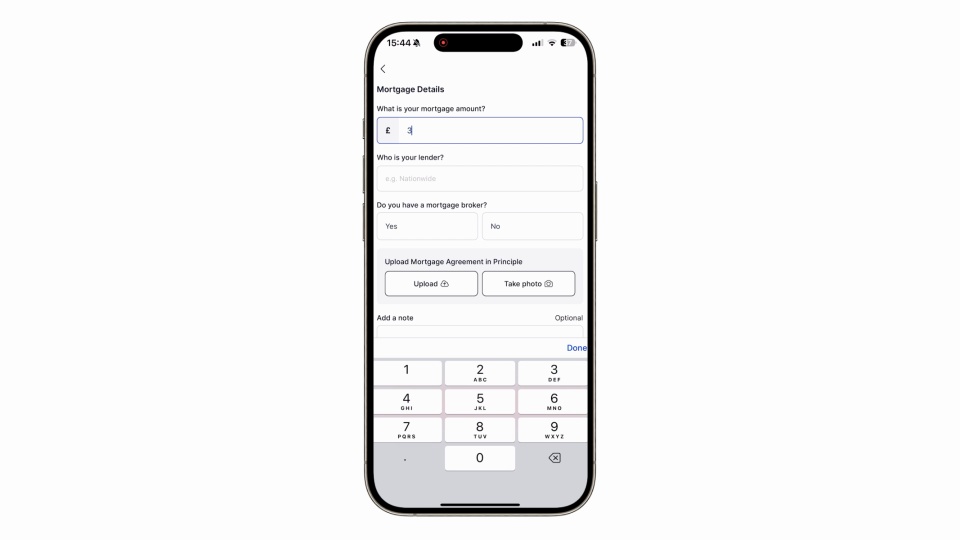
Admin done in minutes, not weeks. Buyers complete AML, proof of funds, and solicitor details in the Client App before your progressor picks up the phone.

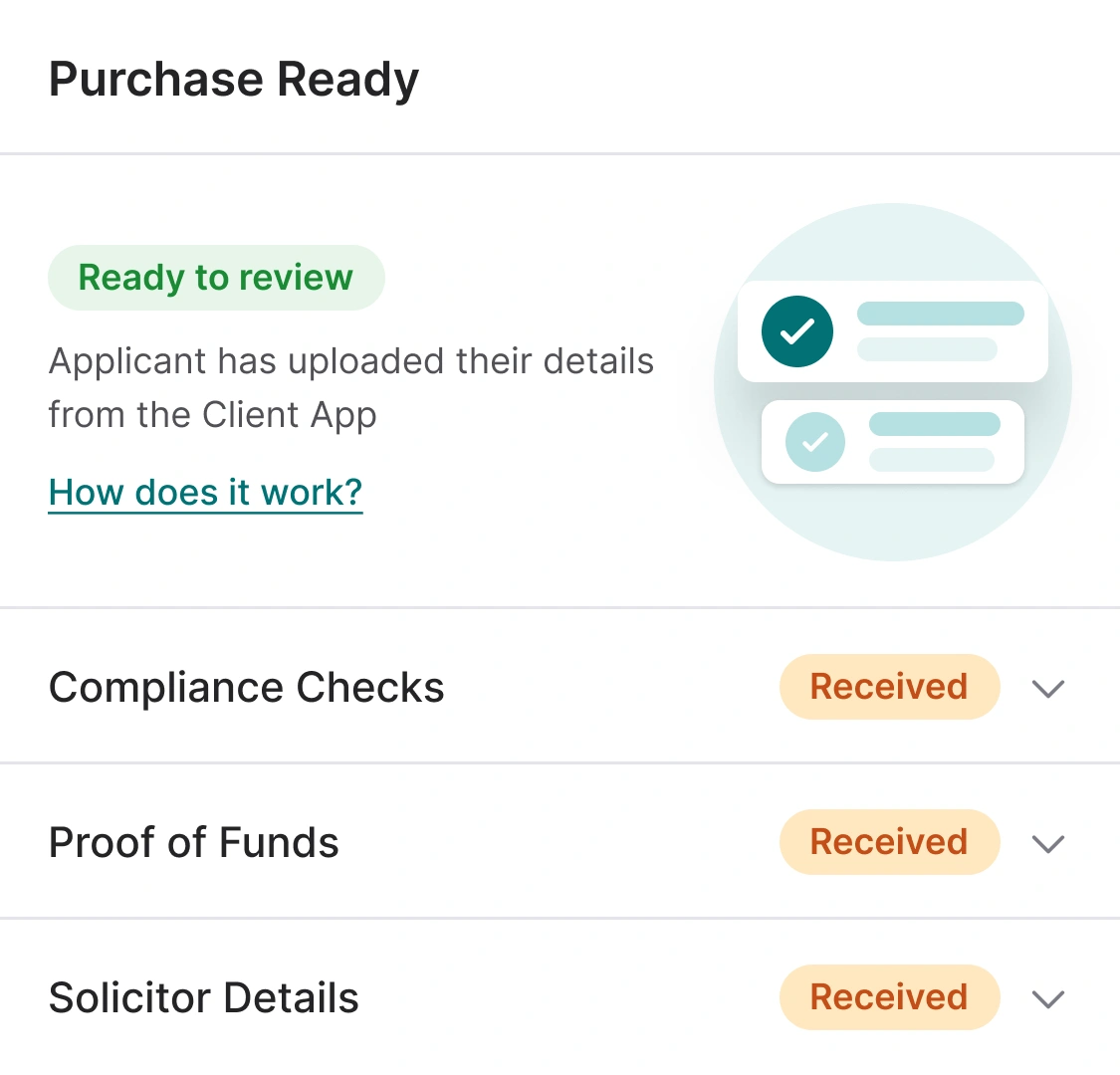
Buyers verify themselves. You just review.
Buyers complete a quick mobile checklist in the Client App, uploading ID, confirming their financial position, and adding solicitor details in a few taps. You see everything live in Street, with instant updates and the option to send reminders with a single tap.
- AML compliance: ID documents submitted in-app.
- Proof of funds: Deposit, mortgage amount, lender, AIP, and supporting docs, all in one place.
- Solicitor details: Firm name and contact info, saved straight into the buyer record.
- Proof of address: Informational check you mark as passed, with the document recorded.

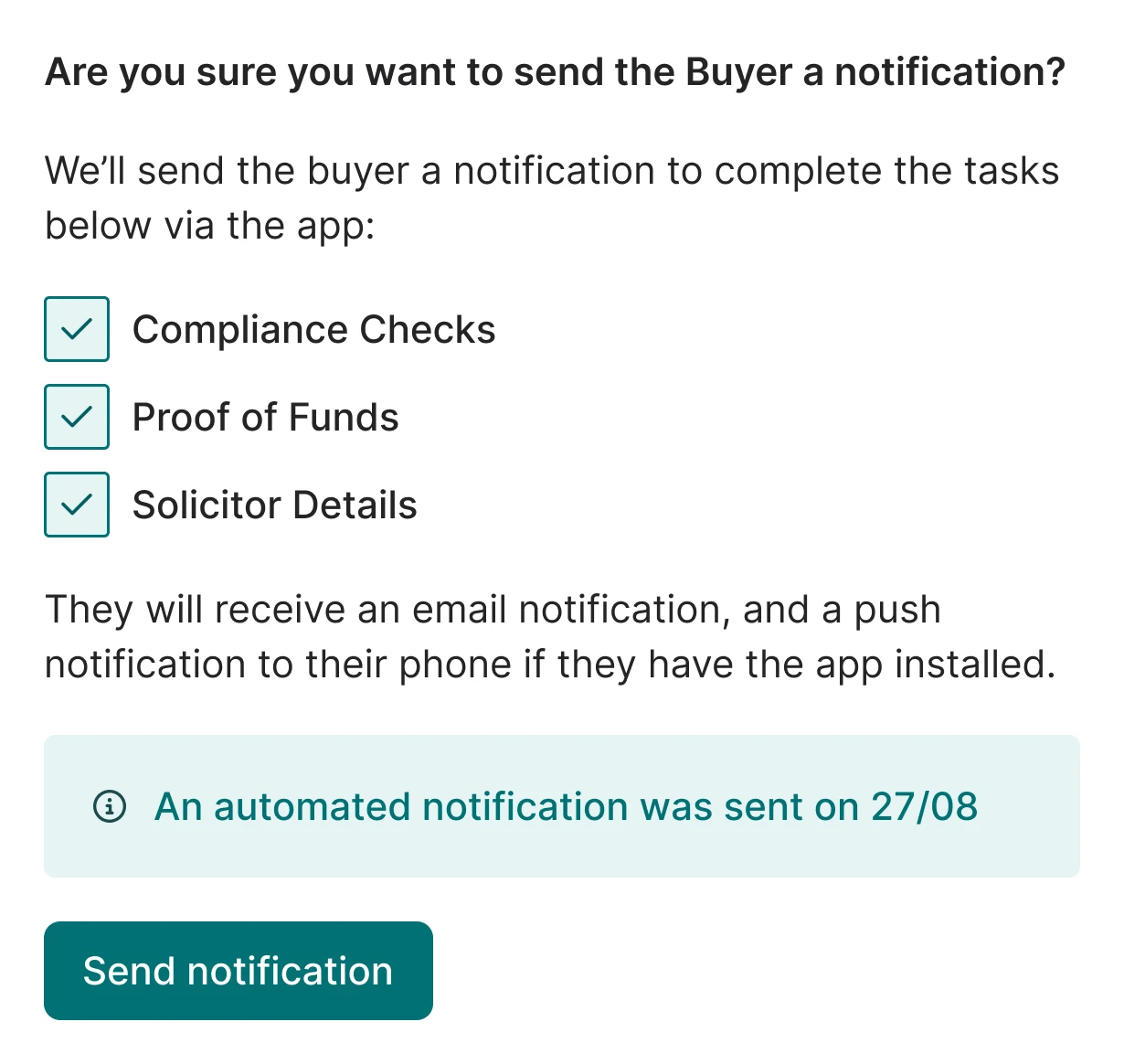
Run your process your way.
Decide when Buyer Ready kicks in, automatically when an offer lands, or manually when you're ready. Choose exactly what to collect, and turn tasks on or off per branch. The workflow flexes around your agency, not the other way around.

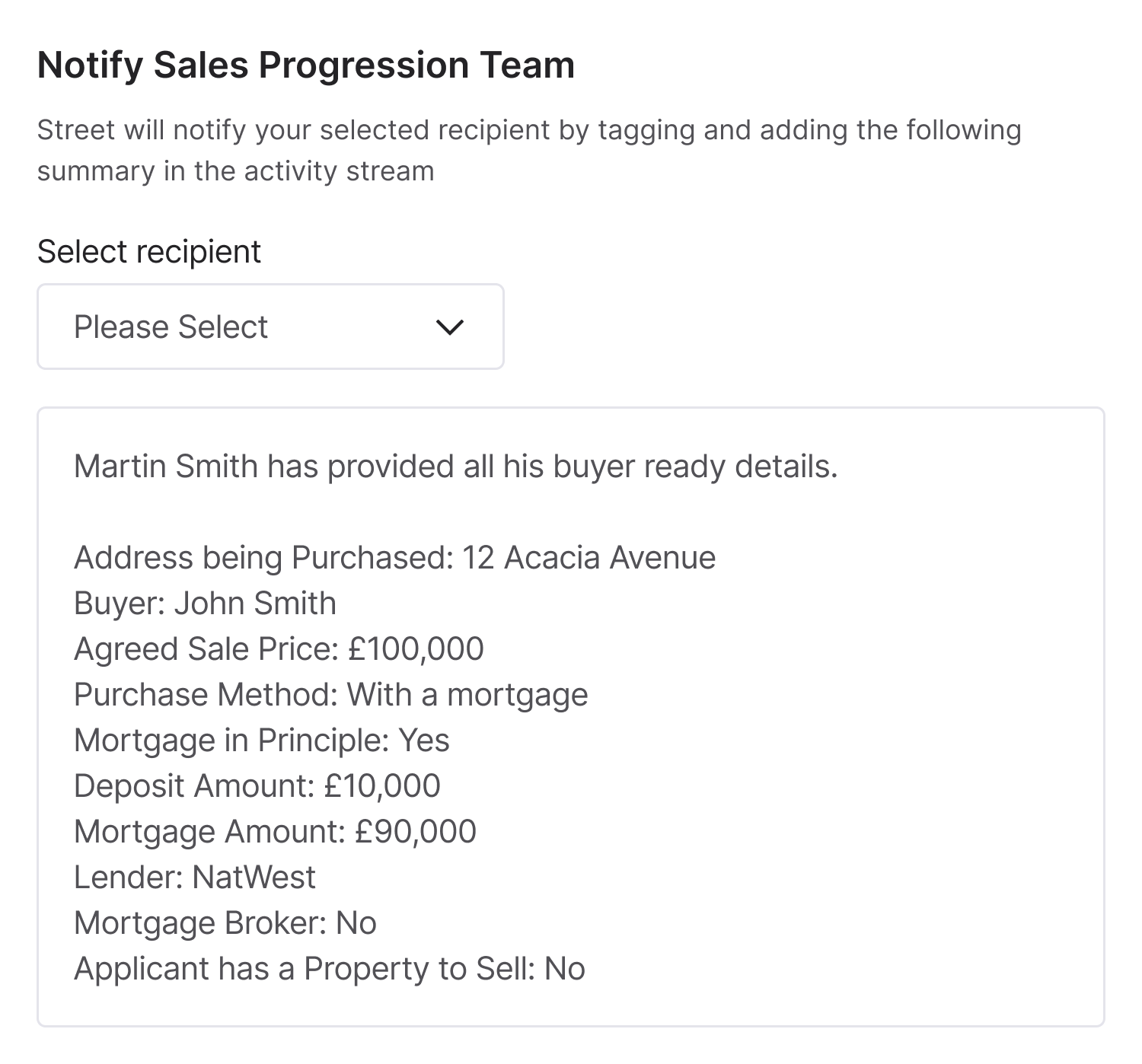
Handover without hesitation.
Once every check is done, Street prompts you with a single option: notify your sales progressor. One click compiles a full buyer summary covering compliance, funds, and solicitor details, and shares it by email and in-app notification, so nothing gets missed and momentum stays with the deal.
RELATED FEATURES
Frequently asked questions
It depends on your settings. The prompt can fire after an offer is submitted, after it's accepted, or only when you manually send the request.
They can update their details in the app at any time, and you can manually update their record in Street.co.uk.
Buyers submit their ID in the app. You run the check via Landmark directly from the Buyer Ready card.
Yes. Tick the ones you want in Settings > Branch Settings > Street App & Portal.