








See client activity. Encourage engagement. Speed up deals.
What it is
A card on every contact and transaction page in Street.co.uk that shows whether your clients have logged into the app, when they were last active, and which platform they used. One click to send a nudge if they haven't.
Who benefits
Negotiator. A buyer's gone quiet on a chain. You check the card and see they haven't logged in since last week. You send a login link, they re-engage, and the chain keeps moving.
Lister. Your vendor hasn't approved their listing. The card shows they've never downloaded the app. You send a download reminder and the approval comes through the same afternoon.
Lettings manager. New tenants aren't using the app to report maintenance. The card tells you who hasn't logged in, so you can send onboarding nudges before the phone calls start.
See who's using the app. Nudge the ones who aren't.
Check login activity, spot disengaged clients, and send a follow-up, all from the contact page.

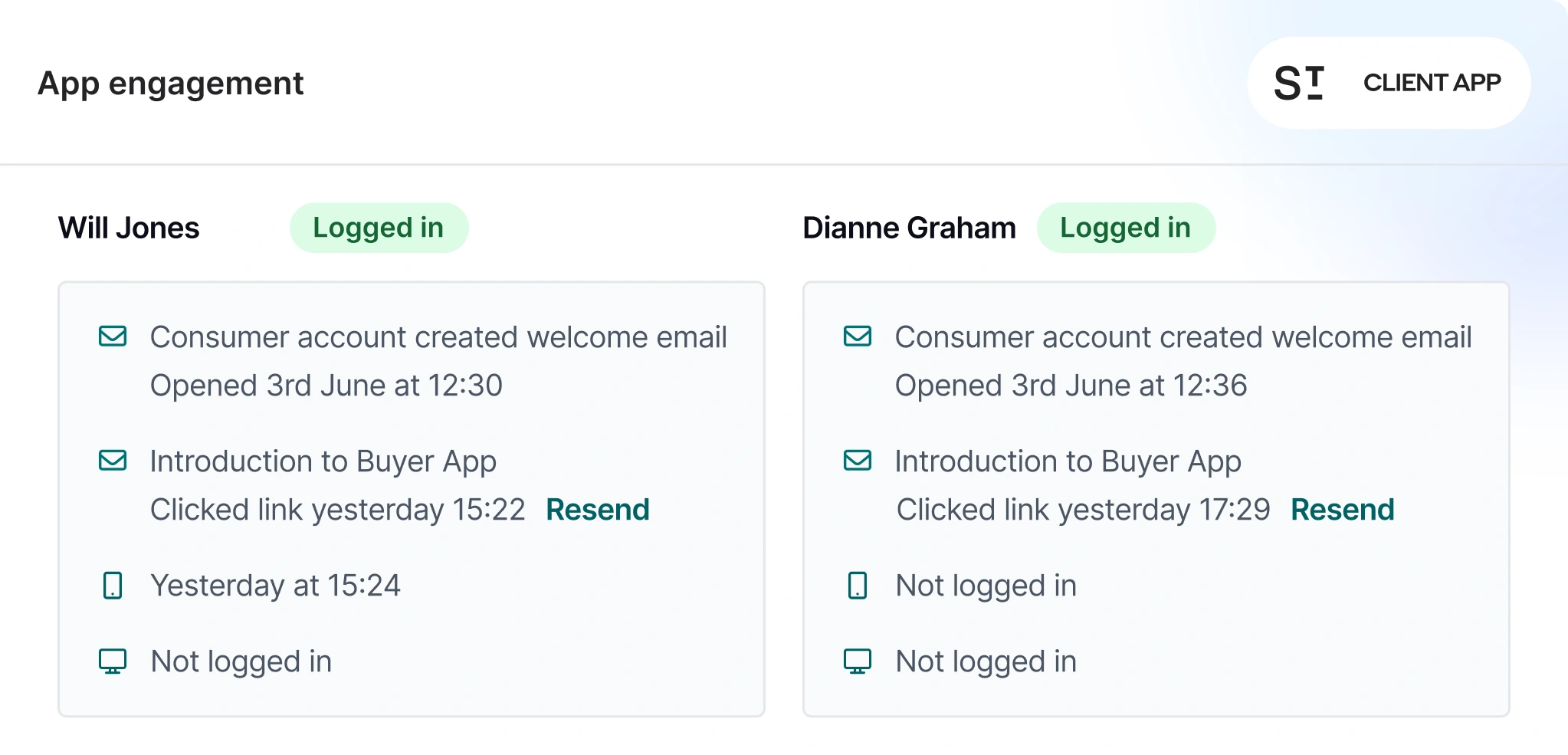
1 click
To send a download reminder, login link, or password reset. No switching screens.
5 pages
The card lives on Person, Applicant, Offer, Sales, and Owner records. Visibility wherever you need it.
Live
Activity updates in real time. Last login, platform used, and current status, always current.
The Client App Engagement Card shows you exactly who is using the app and who needs a nudge, right from their contact page.
Instant visibility into client app activity.
See who's logged in, who hasn't, and which platform they're using. Send a nudge in one click to keep things moving.

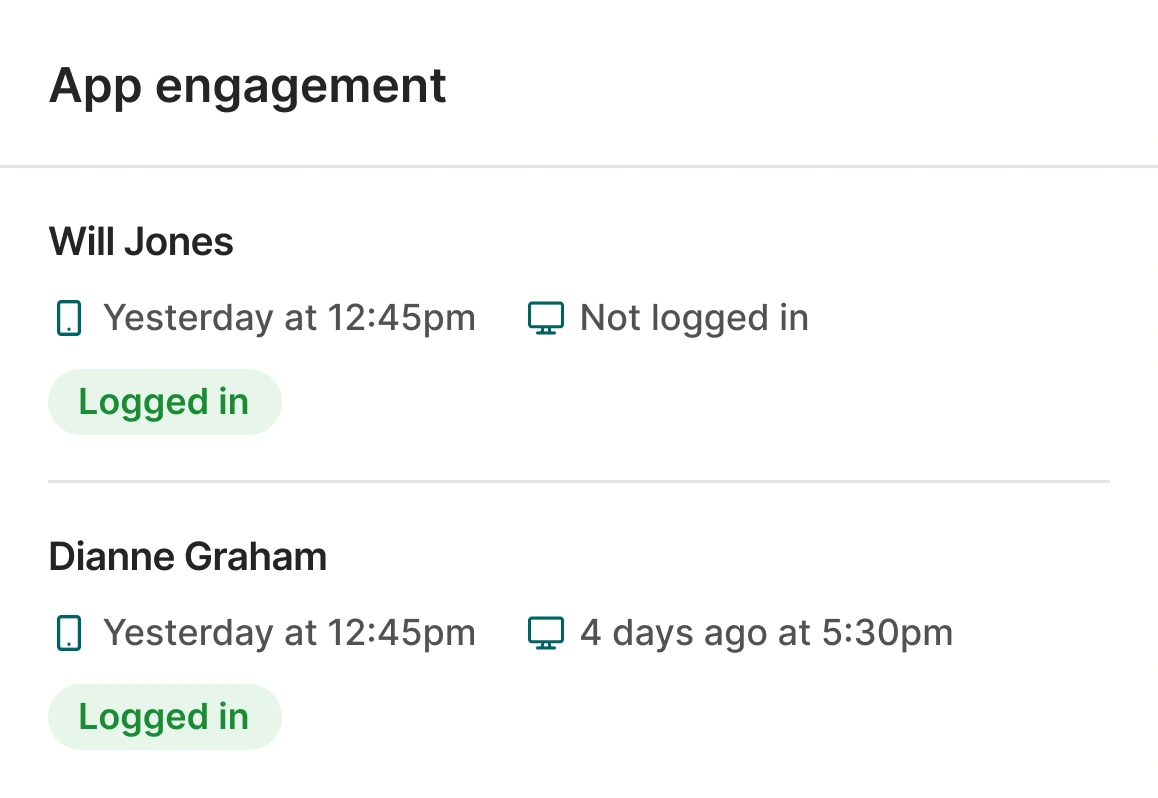
See who's logged in and who hasn't.
Check login status, last active date, and platform for every person on a record, directly from the contact or transaction page.
- Login status: See whether each client has ever logged into the app, and when they were last active.
- Platform breakdown: Know if they're using the browser, the mobile app, or both. Useful when troubleshooting access issues.
- Multi-person view: Records with multiple contacts (joint vendors, co-applicants) show each person's activity individually, so you know exactly who needs attention.
- No extra clicks: The card sits on Person, Applicant, Offer, Sales, and Owner pages. You see it as part of your normal workflow.

Send a follow-up without leaving the page.
Download reminders, login links, and password resets, sent directly from the engagement card to the right person.
- Send reminder to download: Create and send a branded email using the Street.co.uk email builder, with Street AI and your correspondence templates. Ideal for clients who haven't installed the app yet.
- Send login link: A secure magic link that takes the client straight into their account without needing a password, sent in one click.
- Send password reset: For clients who've downloaded the app but can't get in. The reset email is sent instantly with no content to configure.
- Choose your recipient: On records with multiple contacts, pick exactly who you're sending to. No blanket messages to people who don't need them.

Get more clients using your tools.
From onboarding new vendors to nudging tenants onto the maintenance portal, the engagement card tells you who needs a push and gives you the tools to deliver it.
- Vendor onboarding: Check whether a new vendor has downloaded the app before you send them a listing to approve. If they haven't, send the download link first.
- Buyer Ready steps: See if buyers are logging in to complete their Buyer Ready profile. A login link or download reminder can be the difference between a stalled applicant and an active one.
- Tenant self-service: Identify tenants who aren't using the app for maintenance requests or document access, and send them a nudge before they call the office instead.
- Across every transaction type: The card appears on sales, lettings, and property management records, giving every team the same visibility.
RELATED FEATURES
Frequently asked questions
The card shows whether each person on a record has logged in, their last active date, and which platform they used (browser or app). It does not show what they viewed or did inside the app.
On Person, Applicant, Offer, Sales, and Owner pages. It's part of the standard page layout, no setup required.
Yes. If a record has multiple contacts (joint vendors, co-applicants), you choose who to send to. You're not limited to sending to everyone at once.
Three: a reminder to download the app (fully customisable using the email builder), a secure login link (one click, no password needed), and a password reset. Login links and password resets are sent automatically with fixed content for security.
Yes. The card appears on Owner and tenant-related records as well as sales records. Any team working with clients who use the app can see engagement status and send nudges.