








Every contractor. Vetted and visible.
What it is
A contractor compliance register built into your CRM. Certifications, insurance, and background checks stored in one place. Colour-coded statuses show you who's compliant and who needs renewal before you assign them to a job.
Who benefits
Property Manager. Open any contractor's profile and see their compliance status instantly. Green means current. Red means expired. You see it before you book them.
Compliance Officer. Every certificate is stored, dated, and exportable. No chasing contractors for paperwork. No hunting through email chains before an audit.
Lettings Manager. Assign a contractor to a maintenance job and Street.co.uk flags any expired or expiring certificates right there in the workflow. You decide whether to proceed or chase the renewal first.
Visible
Every contractor's compliance status, colour-coded on one screen. Green, yellow, red.
Exportable
Your full contractor register, certificates and statuses included, exported to CSV for audits.
Flagged
Expiring and expired certificates flagged when you assign a contractor to a job or a ledger charge.
Never lose track of contractor credentials again. Contractor Compliance stores certificates, insurance, and vetting records, all in one place.
One register. Every contractor. Every certificate.
Compliance status is visible before you assign, exportable when the auditor asks, and flagged the moment something expires.

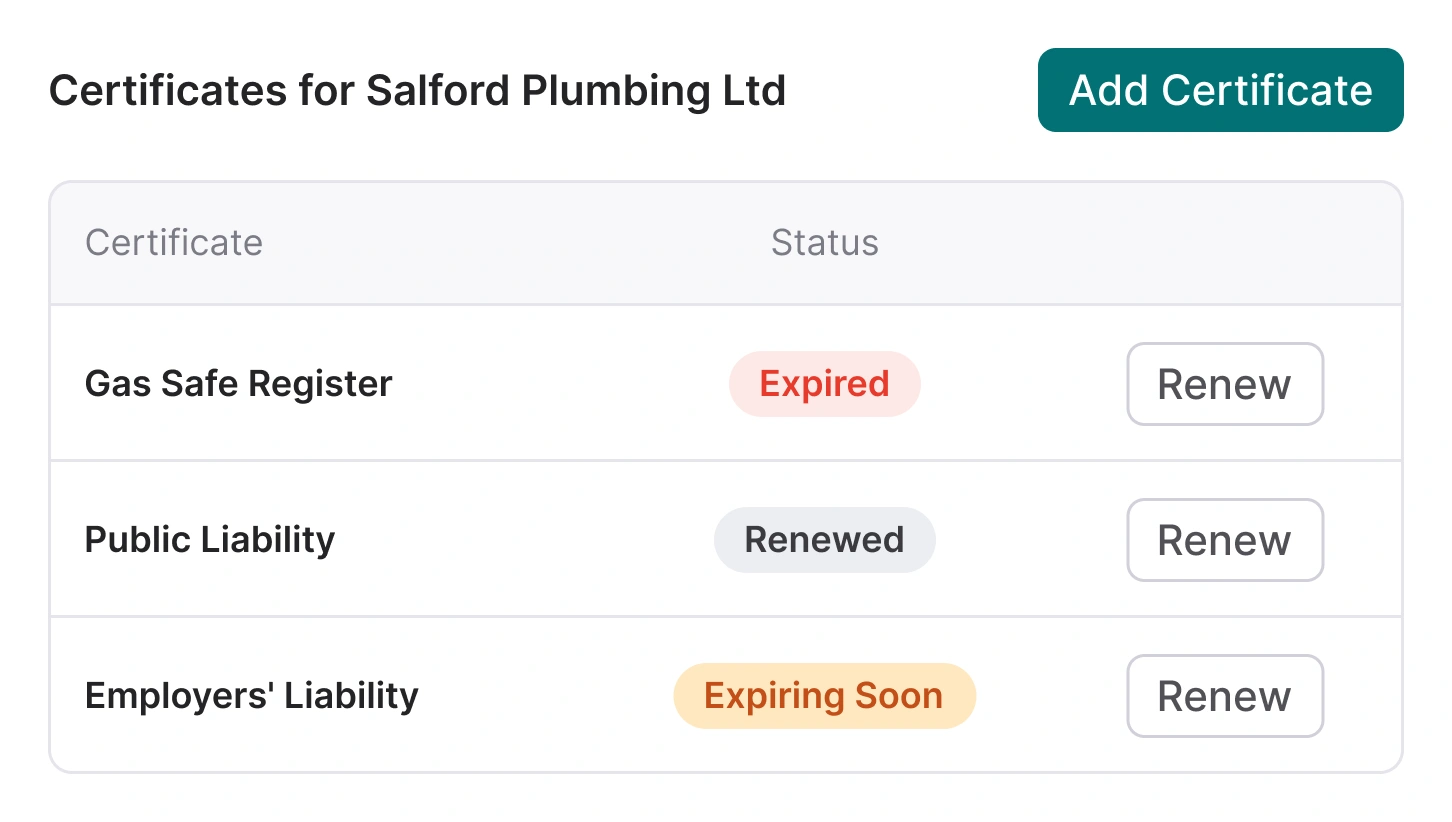
Every certificate. Stored, dated, and visible.
Upload certificates for any trade requirement, from Gas Safe to public liability to EPC. Street stores the documents, tracks the dates, and flags when something is about to expire.
- Certificate upload and storage: Upload certificate documents directly to a contractor's profile. PDFs stored securely against their record. No more lost documents or email attachments.
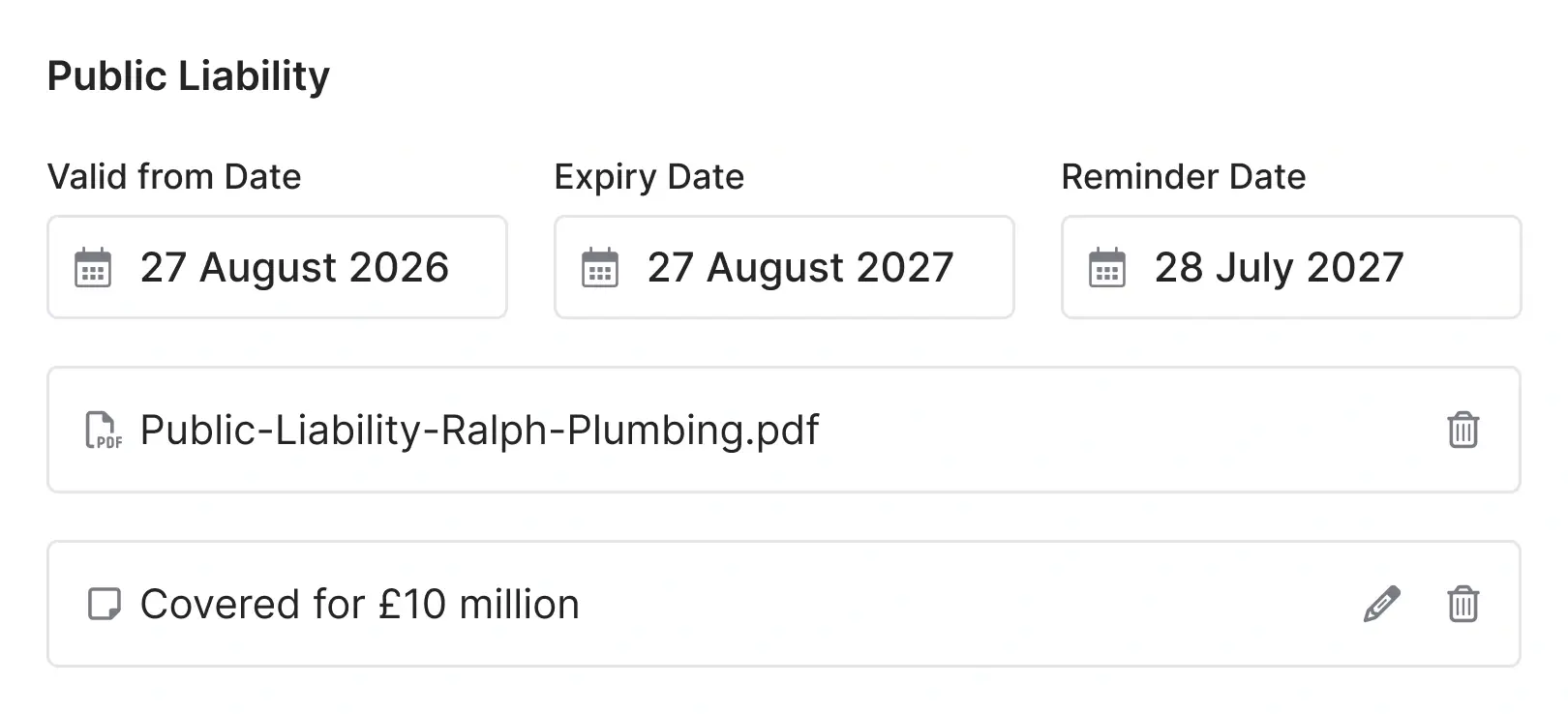
- AI-powered date reading: Upload a certificate and Street AI reads the document, pulling valid-from and expiry dates automatically. Edit manually if needed.
- Expiry date tracking: Every certificate shows its expiry date. Approaching expirations are flagged yellow. Expired certificates show red. You see the status before you need to go looking for it.
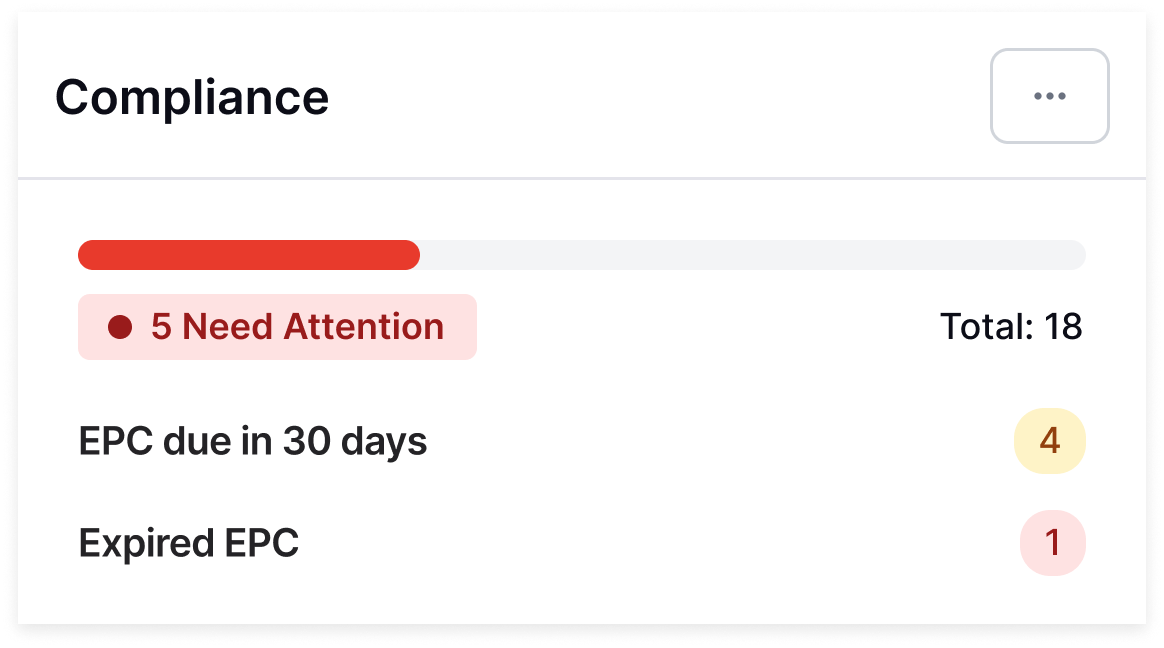
- Compliance at a glance: Open a contractor's profile and their compliance card shows every certificate, its status, and its valid-to date. The main contractors table shows certificate status for every contractor in one view.

Insurance, liability, background checks. One place.
Add any compliance certificate type to a contractor's profile. Public liability, employers' liability, Gas Safe, DBS, EICR: if it has an expiry date, Street.co.uk tracks it.
- Any certificate type: Street.co.uk handles whatever compliance documents your contractors need. Add the certificate, upload the document, and the dates are tracked from there.
- Renewal workflow: When a certificate expires, renew it directly from the contractor's profile or the main contractors table. Upload the new document, add the new dates, and a fresh certificate record is created.
- Mark as not renewing: If a contractor no longer needs a specific certificate, mark it as not renewing rather than leaving an expired record sitting in the system.
- Audit trail: Every certificate document is stored against the contractor. Exportable contractor data means you have the records when an auditor asks for them.

Street.co.uk warns you before you assign a non-compliant contractor.
Add a contractor to a maintenance job or a charge on a ledger and Street.co.uk checks their certificates. If anything has expired or is expiring soon, you see a warning banner before you proceed.
- Maintenance job warnings: Assign a contractor to a job and Street.co.uk shows a banner if any certificates are expired or expiring soon. You see it at the point of decision.
- Ledger charge warnings: If you manage client accounting in Street.co.uk, the same warning appears when adding a contractor charge on a ledger. Compliance checks are built into the accounting workflow too.
- Informational, not blocking: The warnings flag the risk. You can still proceed if the situation warrants it, but you're making an informed decision rather than an uninformed one.
RELATED FEATURES
Frequently asked questions
Certificates are uploaded from the contractor's profile in Street.co.uk by your team. When you upload a document, Street AI reads it and populates the valid-from and expiry dates automatically.
Expiring certificates show a yellow status on the contractor's profile and in the main contractors table. When you assign that contractor to a maintenance job or a ledger charge, Street.co.uk shows a warning banner so you're aware before proceeding.
Yes. The contractors table can be filtered by certificate status and by trade, so you can quickly find contractors with expired or expiring certificates that need attention.
Yes. The contractors table is exportable to CSV, including certificate statuses.