








Every offer tracked. Every decision yours
What it is
From offer submission to acceptance, track every offer in one place. See competing offers side by side in a single table. Handle counteroffers. Control what your vendor sees and when. Accept and trigger sale progression, all from inside Street.co.uk.
Who benefits
Agent. Every offer for every property, one view. Amounts, buyer positions, financial status. Relay to vendors on your terms. Accept, reject, or counter from the offer page.
Negotiator. Buyers submit offers through the app after a viewing. Each one lands in your account for review before the vendor sees it. You decide when to relay.
Vendor. Relayed offers appear in your Street.co.uk app with full details: amount, buyer position, financial strength. No chasing your agent for updates.
Centralised
Every offer tracked in one system.
0
Offers lost in email chains.
Agent first
Every offer reviewed by you before the vendor sees it.
Offers traded via email disappear into vendor inboxes. Competing bids stay hidden. Counteroffers go missing. Offer Management centralises every offer. Full transparency. Better decisions.
Every offer visible. Faster decisions. Better outcomes.
See every offer in a single table: amount, buyer, financial position, status. Relay to the vendor when you're ready. Counter or reject from the offer page. Accept and the sale progression workflow kicks in. No lost context. No missing emails.

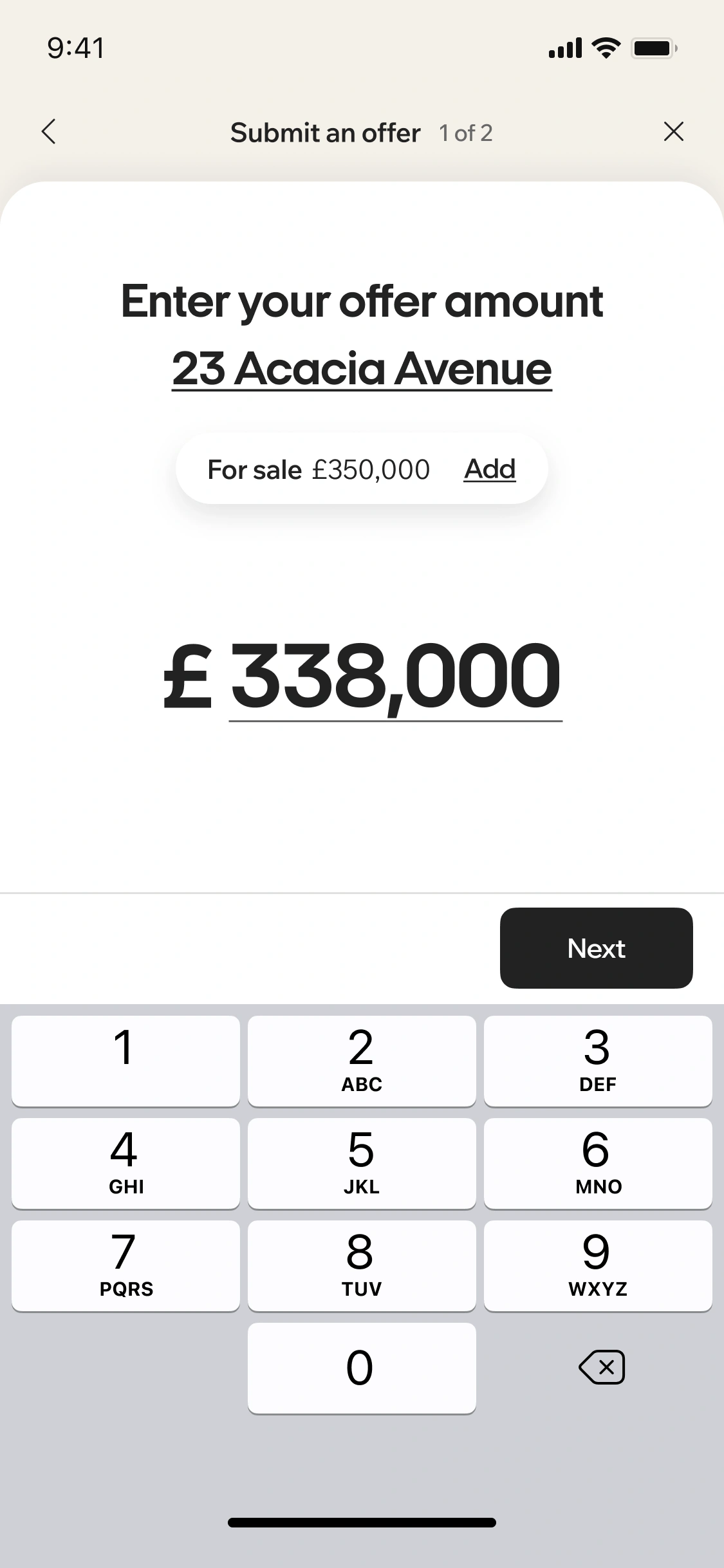
Submit offers in Street.co.uk. Track every status from one place.
Buyers submit offers through the app, or you create one from the property page. It lands in your account first. Review, verify proof of funds, complete AML, then relay to the vendor when you're ready. Accept, reject, or counter from the offer page.
- In-app submission: Buyers submit after a viewing, or you create from the property page. No email, no printing.
- Agent review first: Every offer comes to you before the vendor sees it. You decide when to relay.
- Offer table: All offers for a property in one view. Amount, buyer, financial position, status.
- Counteroffer workflow: Reject with a counter from the action dropdown. Revise the amount, update terms.

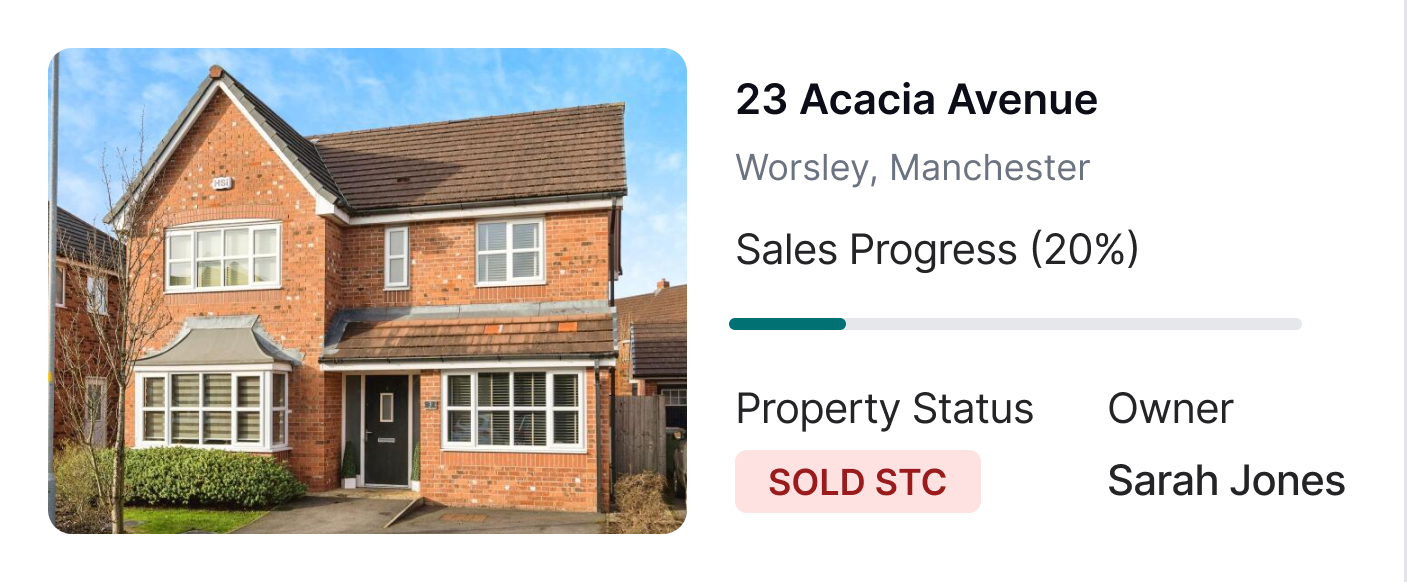
Offer accepted. Sale progression starts.
Accept an offer and Street.co.uk picks up the next steps. Mark the property as SSTC or Under Offer. Cancel upcoming viewings and notify applicants automatically. Generate and send the Memorandum of Sale to both solicitors in one step (if enabled). Sale progression page created from day one.
- Accept from the offer page: Choose SSTC or Under Offer, cancel viewings, confirm. Done.
- Auto-generated Memo of Sale: Street.co.uk generates the memo and sends it to both solicitors when you accept. If enabled in settings.
- Sale progression page: Created automatically on acceptance. The chain starts in one place.
- Partner Platform prompt: Not yet referred to a mortgage broker? Street.co.uk prompts you at acceptance.
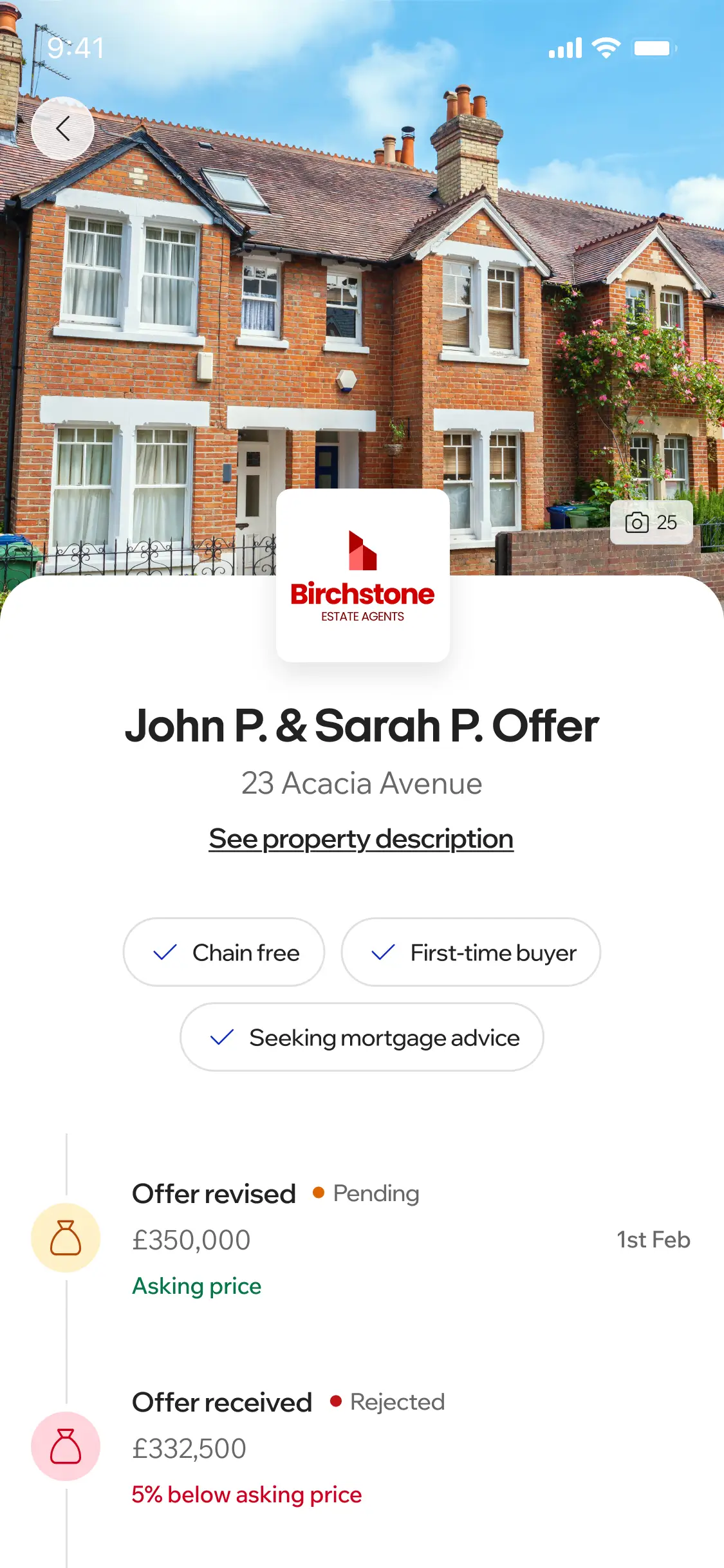
Your clients stay informed. You stay in control.
Buyers and vendors both get visibility through their own Street.co.uk app. Buyers submit offers and track status. Vendors see relayed offers with full details. Neither can accept or reject in the app. Every decision runs through you.
- For buyers: Buyers submit an offer from their app after a viewing. It goes to you first, not the vendor. They see their updated status once you've acted. If rejected, they resubmit.
- For vendors: Once you relay, the vendor sees the offer in their account: amount, buyer details, financial position. All relayed offers, full history. To accept or counter, they contact you.
RELATED FEATURES
Frequently asked questions
No. Vendors see relayed offers in their Street account with full details, but they can't accept, reject, or counter from the app. They contact you to discuss. You handle every decision from the offer page.
Yes. After a completed viewing, buyers submit offers from their Street.co.uk account. The offer goes to your account first for review. It doesn't go directly to the vendor.
Yes. All offers for a property sit in a single table on the property's offer tab. You see amount, buyer, financial position, and status for every offer at a glance.
You reject with a counter from the action dropdown on the offer page. Set a revised amount or updated terms. The buyer sees the updated status and can respond with a new offer.