








The right to rent check you can't skip
What it is
Fines start at £5,000 per lodger and £10,000 per occupier. Right to rent checks in Street.co.uk sit on the lettings application, block failed applicants from progressing, and keep the full check record on the tenancy. Compliance is part of the workflow, not something you remember to do afterwards.
Who benefits
Lettings Agent. Right to rent sits on the application page. If an applicant fails, the application stops. You can't create a tenancy until every applicant passes.
Branch Manager. Task management surfaces checks that are due soon or overdue across your portfolio. You see what needs attention before it becomes a problem.
Compliance Officer. Every check recorded with date, who completed it, ID type, and uploaded evidence. One place to go when you need to show your workings.
Every applicant
Right to rent recorded on the lettings application before a tenancy can be created.
Fail = blocked
No right to reside means the application cannot progress. No exceptions.
Expiry flagged
Time-limited visas surfaced in task management before they lapse.
One missed check and your agency carries the liability. Right to rent in Street.co.uk is part of accepting the offer, not a separate job you chase up later.
Compliance on the record.
Every applicant checked at application stage. Failed applicants blocked from becoming tenants. Check history stored on the tenancy for as long as you need it.

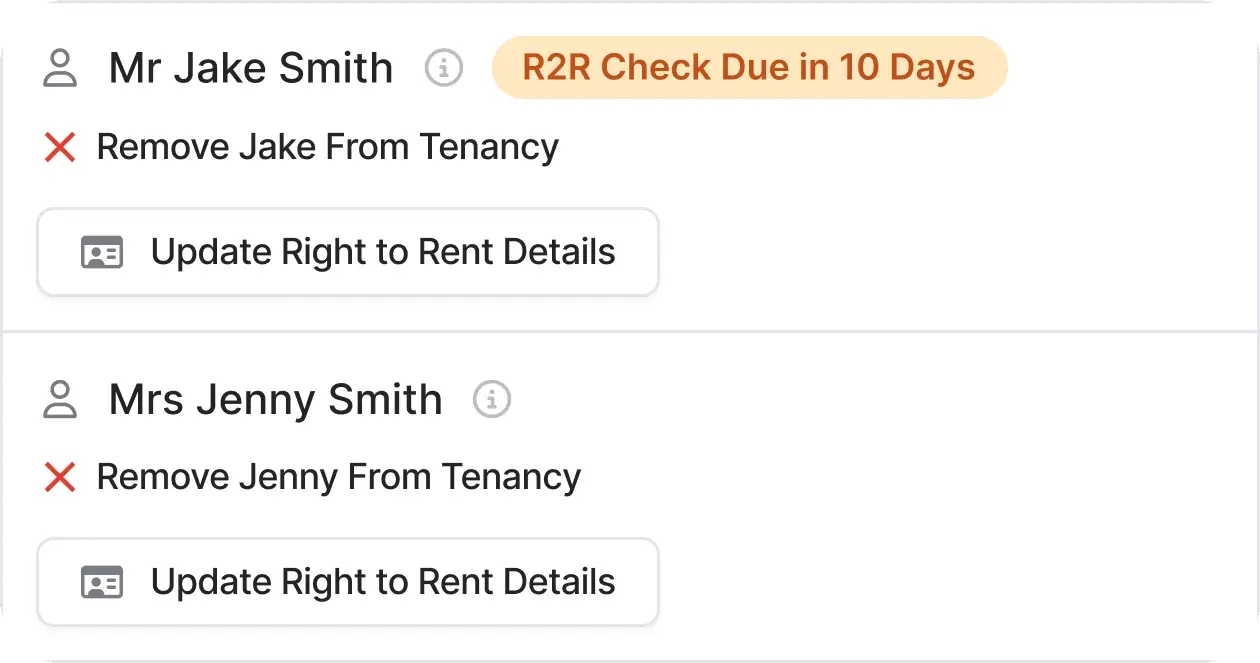
Right to rent checks where you're already working.
When a lettings offer is accepted, the right to rent tile appears on the application. Enter the status for each applicant, upload their documents, and the record is created.
- Three outcomes: Permanent right to reside, time-limited right to reside, or no right to reside. Select the outcome and enter the details.
- Full check record: Date completed, checked by, identification type, share code for time-limited applicants, and uploaded documentation, all stored on the profile.
- Failed applicants blocked: If any applicant has no right to reside, you cannot progress the application or create a tenancy. Cancel the application with a recorded reason.
- Update anytime: Check details can be updated on the application or directly on the tenancy record after creation.

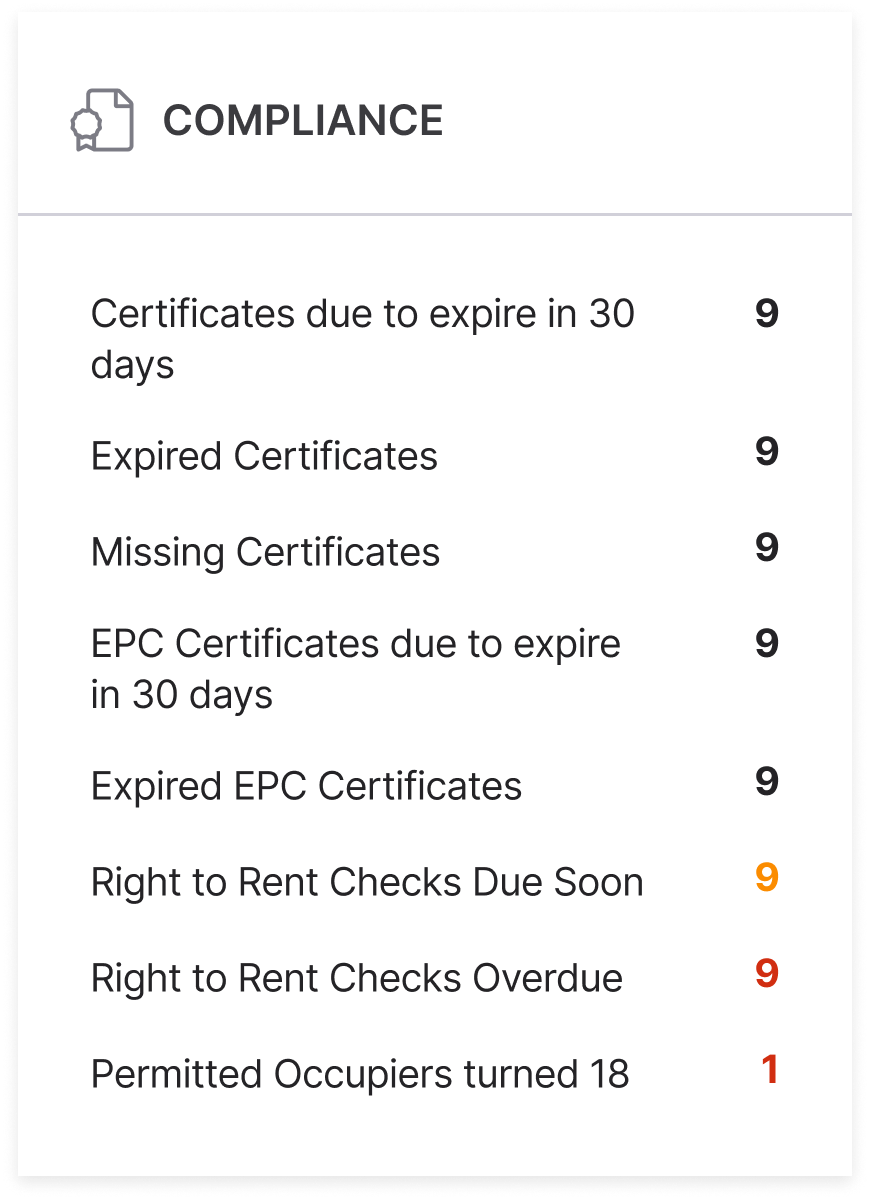
Checks that need attention, surfaced before they lapse.
Task management tracks every right to rent check across your portfolio. Due soon and overdue, you see what needs action without opening individual records.
- Due soon and overdue: Time-limited checks approaching expiry appear in your compliance task list. Overdue checks flagged separately so nothing gets buried.
- Tenancy-level visibility: View and update right to rent details directly on the tenancy overview page. Check history stays with the tenancy record.
- Clean up when needed: Old or superseded checks can be removed from the tenancy page or the right to rent checks table.
RELATED FEATURES
Frequently asked questions
Passport, visa, BRP card, citizenship certificate. You upload the document to Street.co.uk as part of the check record.
The applicant does not have a valid right to rent in England. The application cannot progress to tenancy. You'll be prompted to cancel the application and record the reason.
You enter the visa or right to reside expiry date. Street flags the check as due soon or overdue in task management, so you know when a re-check is needed.
Yes. Right to rent details can be viewed and updated on the tenancy overview page at any time.
You follow up with landlords and applicants directly. Street.co.uk records the failed check and cancellation reason, but notifications to relevant parties are handled by you.