








Squeeze more viewings into the same eight hours.
What it is
Half of all viewing and valuation bookings happen outside office hours, and nearly a quarter fall on weekends. Street's Booking Engine captures them around the clock, and the travel-aware Smart Diary keeps your team's day tightly organised, with fewer gaps, less wasted travel, and more appointments actually booked.
Who benefits
Negotiator. Suggested slots show travel time between properties and flag when you're already at a location, so back-to-back viewings are built around where you actually are.
Branch Manager. Turn online booking on or off at company and branch level, set who can book and when, and give every branch a diary that reflects the team's real availability.
Client. Book a viewing or valuation any time, on any device, using a branded form that only offers slots the agent can realistically make.
50%
Of viewing and valuation bookings happen outside office hours. Street.co.uk captures them 24/7.
22%
Of bookings happen on weekends, when most of your team isn't on the phones.
At location
Suggested slots highlight when you're already at a property, so back-to-back viewings mean zero extra travel.
Calendar chaos costs deals. Street's Smart Diary keeps your day tight, and the Booking Engine catches the enquiries that come in when your team is offline.
Your calendar finally reflects where you actually are, not where you pretend to be.
Suggested slots build your day around where you're already going. Online booking controls keep you in charge of who books, when, and how. The result is a diary that works for your team, and a booking engine that works around the clock.

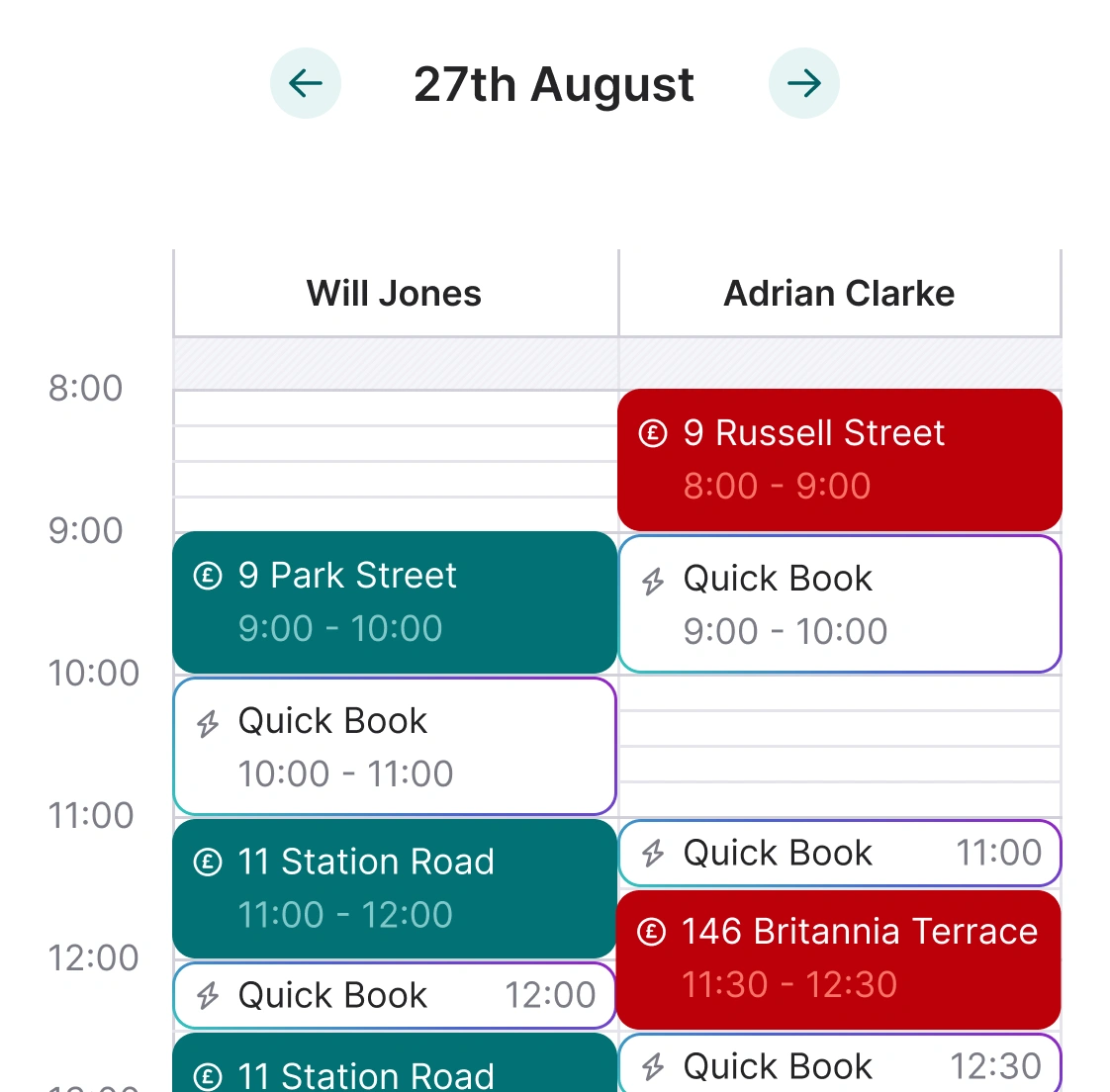
Slot suggestions that respect your day.
When an agent books an appointment from a property, applicant, or existing viewing, Street offers a list of suggested times with the travel time to the next property shown in blue. Travel time is calculated from the driving distance between the two property locations, and if you already have an appointment at the same property, an "at location" banner in green flags the slots where you're on site. Click a suggested slot and it populates on the calendar in one go.
- Travel time in blue: Each suggested slot shows the driving distance between the two property locations, so you can see what a back-to-back booking actually costs you in the car.
- "At location" slots in green: When you're already at a property, Street highlights the most efficient slots in green so two viewings at the same address stack naturally.
- Browse by day or by week: The calendar view shows all available suggested slots with travel times, so agents can browse visually across multiple days rather than booking one slot at a time.
- Team-wide awareness: Suggestions take the whole team's diaries into account, so a new viewing slots in around everyone's existing appointments, not just yours.

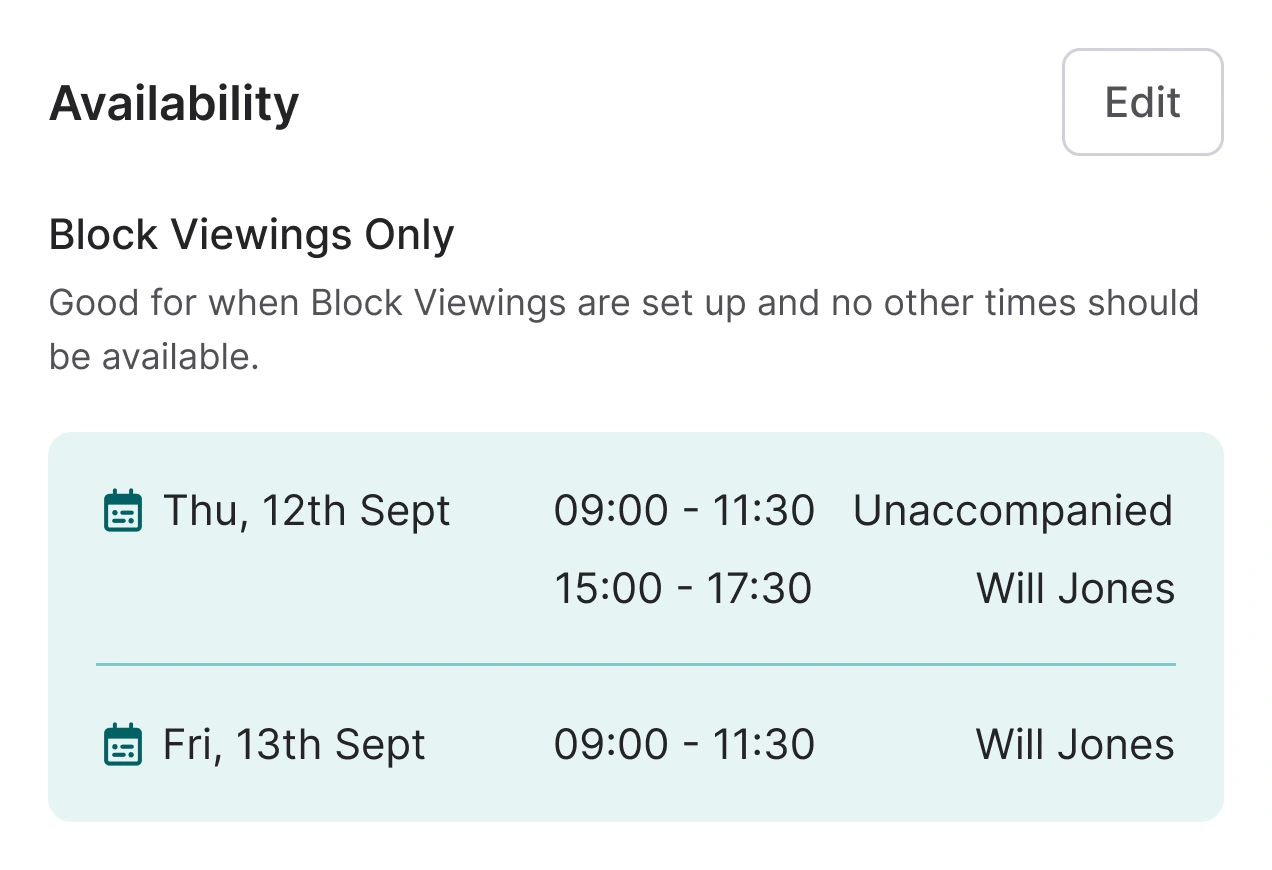
You decide who books, and when.
Online booking can be enabled or disabled at company level and at branch level, with individual properties still able to accept bookings when the branch defaults are off. You choose who's allowed to book, control viewing duration and same-day rules at branch level, and set how much input owners have on a property-by-property basis. Valuation bookings run from a unique link per brand, shareable via a website button, iframe embed, or QR code.
- Company and branch controls: Enable or disable online booking at either level. Company-level off still allows per-property overrides from a property's viewing settings.
- Pre-qualify applicants: Filter who can book by applicant position, so only qualifying applicants reach the booking form.
- Owner confirmation rules: Choose Always, Sometimes, or Never per property, so owners stay involved on the bookings that matter to them.
- Block viewings: Set specific days and time windows for grouped viewings on a property, and pick the viewing agent for each window.
- Valuation bookings: Each brand gets a unique valuation booking link, shareable as a website button, iframe embed, or QR code.
- Branch-level defaults: Viewing duration, same-day booking rules, and travel duration all sit at branch level, so the same standards apply to every booking.


Half your bookings happen outside office hours. Capture every one.
Around half of all viewing and valuation bookings happen outside office hours, and the peaks sit at lunchtime, 6pm, and between 9pm and 10pm. Street's Booking Engine takes these enquiries while your team is offline, turns portal enquiries into confirmed slots automatically, and plugs into your website so the booking experience lives where buyers already are.
- AutoResponder emails: Street automatically replies to Rightmove and Zoopla enquiries with a branded booking link, so the window between enquiry and confirmed viewing stays short.
- Website embedding: Per-property viewing URLs come from the Property Feed API and drop straight into your website, so buyers can book from your listing pages.
- Branded booking form: Logo and colours are customisable on the booking form, so the experience stays on-brand from enquiry to confirmation.
- Peak-time coverage: Bookings peak at lunch, 6pm, and between 9pm and 10pm, exactly when your phones are usually quiet. Street keeps catching them.

Lettings has different rules. Street respects them.
Lettings properties need more control over who confirms viewings and when they can happen. Owner confirmation runs per property, block viewings group appointments into sensible windows, and per-property preferences cover the appointment times, viewing agents, and availability that apply to that specific listing.
- Owner confirmation: Always, Sometimes, or Never, per property. Owners only get involved on the bookings you want them involved in.
- Per-property viewing settings: Appointment times, viewing agents, and availability all configurable on the property itself, so local quirks don't trip up the branch defaults.
- Block viewings: Group viewings on specific days with start and end times, with the viewing agent set per window.
RELATED FEATURES
Frequently asked questions
Travel time is calculated from the driving distance between the two property locations. It doesn't factor in live traffic or time of day, so it's an estimate rather than a live drive-time lookup, but it's enough to build a realistic day around back-to-back viewings.
Yes. Online booking can be switched on at company and branch level, and you can filter who's allowed to book by applicant position so only qualifying applicants reach the booking form.
Owner confirmation is set per property with three options: Always, Sometimes, or Never. You decide on a listing-by-listing basis how much the owner is involved.
Yes. Each brand gets a unique valuation booking link that can be shared as a website button, an iframe embed, or a QR code. Per-property viewing URLs come from the Property Feed API and drop straight into your listing pages. The booking form itself can be branded with your logo and colours.
Yes. The AutoResponder automatically replies to Rightmove and Zoopla enquiries with a branded booking link, so applicants can self-serve into a confirmed slot while your team is offline.