








From booking to feedback. Nothing falls through
What it is
The viewing workflow that picks up after a booking is made. Street sends automated reminders via email or WhatsApp, lets buyers confirm or cancel through the Buyer App, captures viewing feedback from agents on the go, and surfaces it all to vendors in real time. No-shows are logged, viewing-to-offer conversion is tracked, and the vendor sees every outcome without chasing the agent for an update.
Who benefits
Negotiator. Submit feedback from the car while the conversation is still fresh. The vendor sees it immediately, so there's no writing up notes at 7pm.
Vendor. See who's coming and their buying position before they arrive, and feedback after. Decline or cancel viewings yourself if you need to.
Branch manager. Viewing volumes, no-show rates, and viewing-to-offer conversion all tracked. Eight viewings and zero offers? You'll know why.
Real time
Feedback reaches the vendor the moment the agent submits it.
One tap
Buyers confirm, cancel, or offer from the Client App.
Every level
Reminders configured at company, branch, or property.
A viewing isn't done when the door closes. It's done when the vendor has feedback.
Every viewing closes the loop.
Reminders sent, confirmations tracked, feedback captured, vendors kept informed. Without the phone calls.

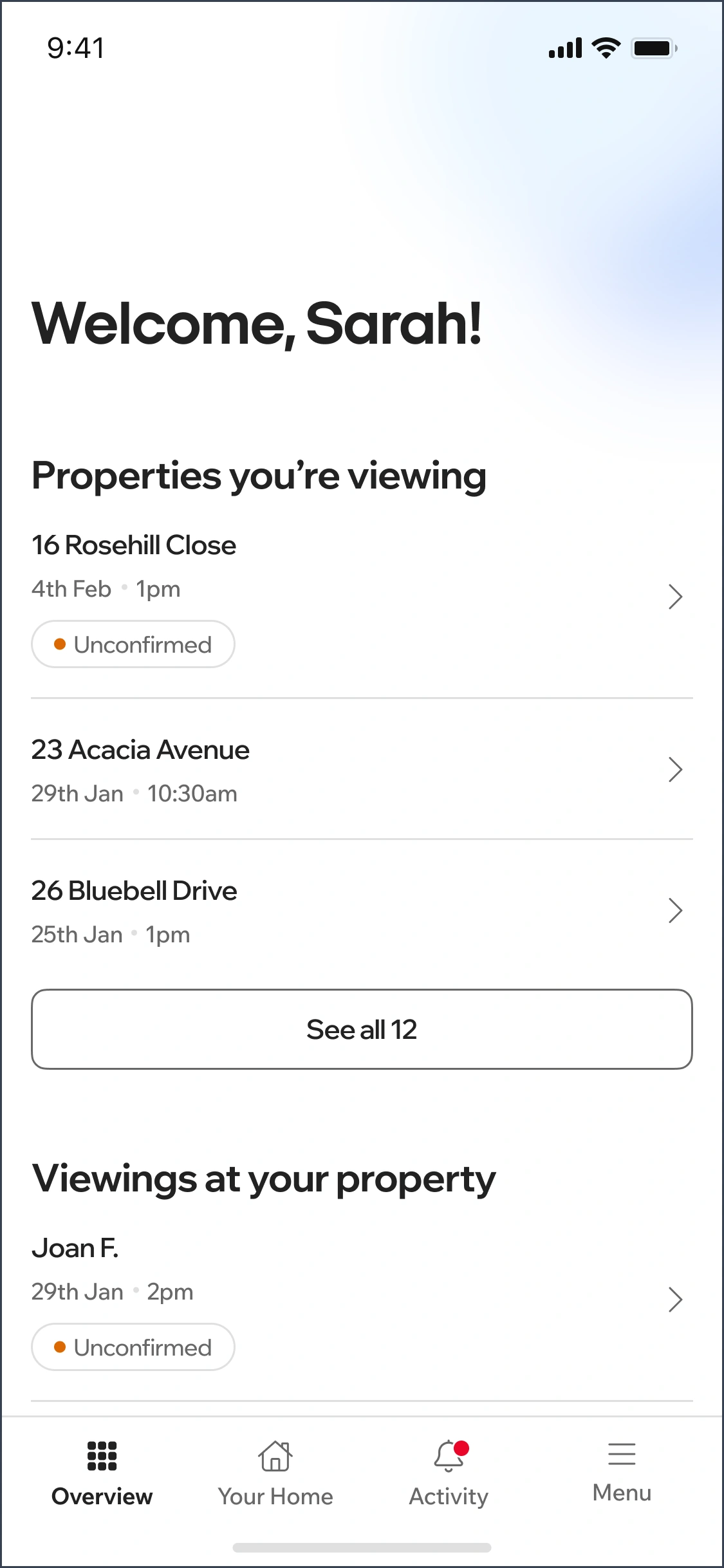
Reminders go out. You don't send them.
Street.co.uk sends viewing reminders automatically to applicants and agents before every appointment. Viewing confirmed notifications, viewing cancelled notifications, and viewing requested notifications are all configurable at company, branch, and even property level.
- Automated viewing reminders: Sent to applicants and agents before the viewing. No manual texting, no chasing. The reminder goes and you move on.
- WhatsApp delivery: With the WhatsApp integration enabled, reminders and confirmations reach applicants where they actually read them.
- Configurable at every level: Company settings set the policy, branch settings customise locally, and property settings handle the exceptions.
- Confirmation workflow: Viewing confirmed emails go to all parties once both the applicant and agent (and vendor, if required) have confirmed. No manual coordination.

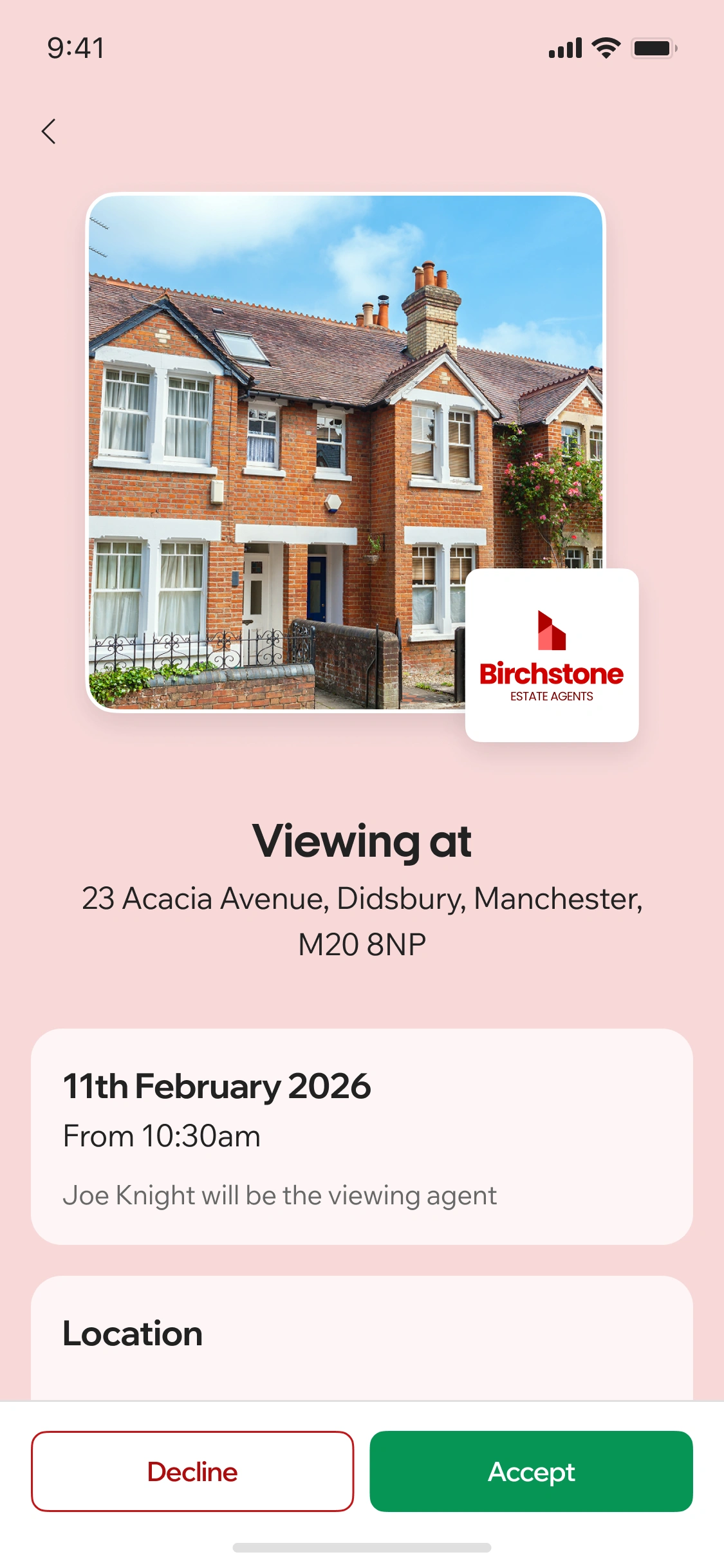
Buyers manage their own viewings. Agents manage their own time.
The Client App gives applicants a self-service viewing experience that cuts out the phone calls. Upcoming viewings show the property address, date, time, viewing agent, and one-click directions to Apple or Google Maps. Buyers confirm, decline, or cancel directly in the app, with cancellation notice periods enforced from your branch settings. After the viewing, buyers leave feedback from the completed viewings section, and if they want to make an offer, it's one tap away.
- Upcoming viewings: Property address, date, time, viewing agent name, and contact details. Add to calendar and get directions in one tap.
- Confirm or cancel in-app: Unconfirmed viewings show accept and decline buttons. Confirmed viewings can be cancelled with notice. The diary updates automatically and the agent is notified.
- Post-viewing feedback: Buyers leave feedback on completed viewings directly in the app. Agents read it in Street.co.uk and use it to prepare for the next viewing.
- One-tap offer: If a buyer wants to offer after viewing, the offer form is right there. No hunting for the agent's number or waiting until Monday.

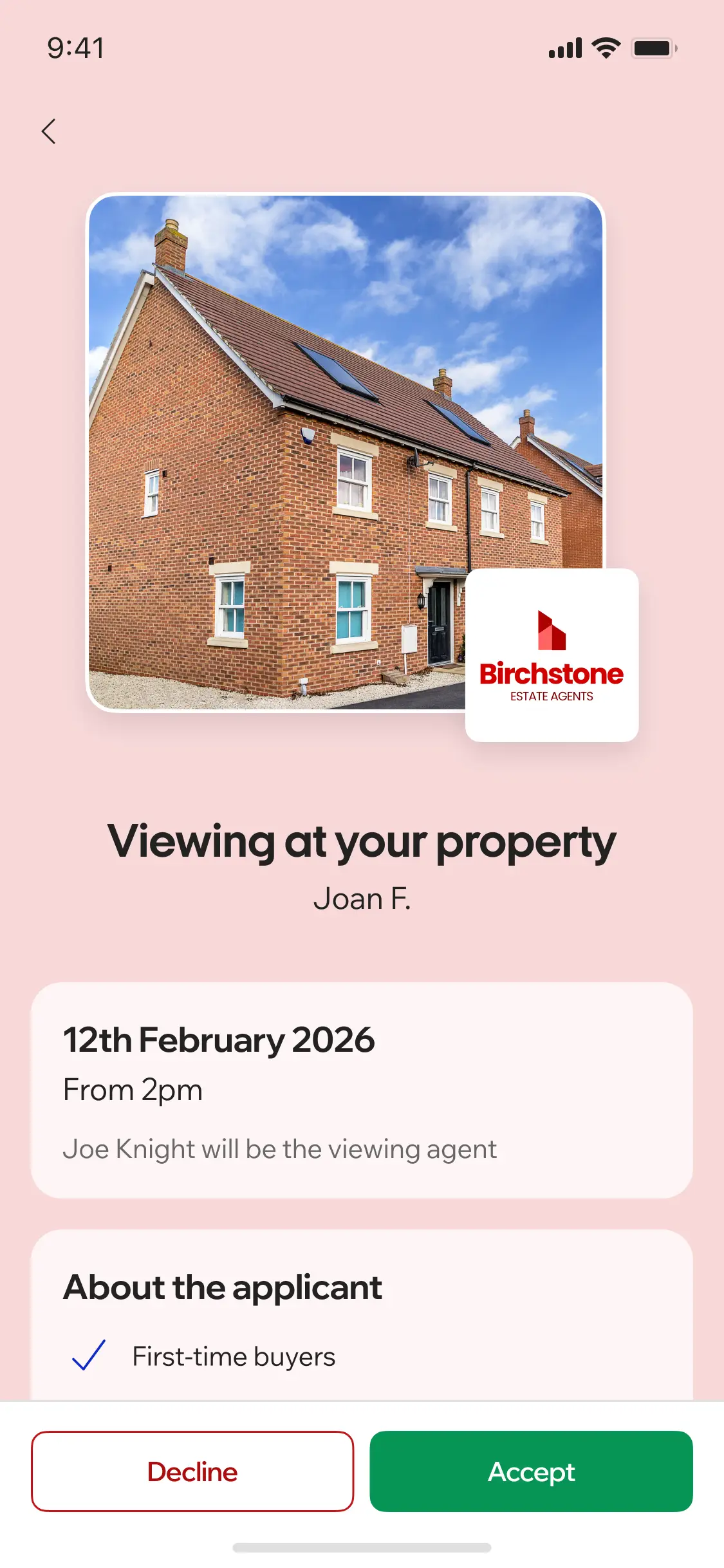
Vendors see everything. Before, during, and after.
Vendors see who's viewing their property, their buying position, and their chain status before they arrive. If confirmation is required, they accept or decline in the app. After the viewing, agent and applicant feedback appears automatically. Three viewings mention the kitchen? The pricing conversation writes itself.
- Pre-viewing context: Vendors see applicant buying position and chain status before the viewing happens. They know the agent is showing to qualified buyers.
- Accept or decline: If owner confirmation is enabled, vendors accept or decline viewing requests in the app. A decline triggers a notification to the agent. No back-and-forth calls.
- Cancel with notice: Vendors can cancel a viewing themselves if the cancellation notice period (set in branch settings) allows it. Agent and applicant are notified automatically.
- Instant feedback: Agent feedback from the viewing appears in the Client App immediately. Applicant feedback follows. The vendor gets closure on every viewing without chasing.

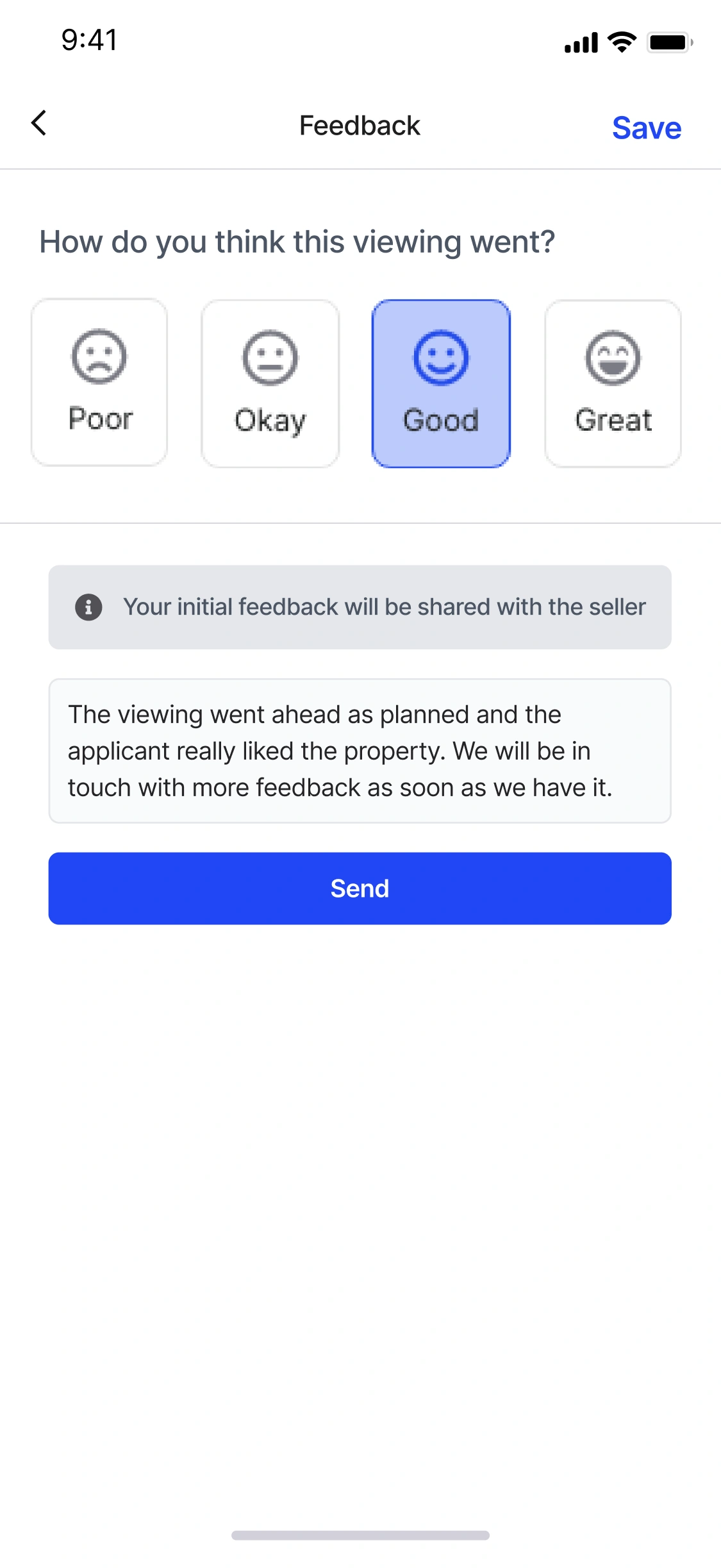
Feedback from the car. Not from the desk at 7pm.
The Agent App is where viewing feedback starts. After a viewing, the agent submits their notes directly from the app, while the conversation is still fresh.
- Instant feedback capture: Submit viewing feedback from the Agent App in the car. Notes are fresh, not reconstructed at the end of the day.
- AI feedback summary: Street AI summarises viewing feedback across multiple viewings and categorises sentiment (price too high, loved the garden, concerned about kitchen).
- Branded performance reports: Generate a fully branded PDF performance report with AI-written commentary. Use it in pricing conversations or send it to the vendor before the call.
"Since January 1st 2022, 77% of our viewings have been confirmed by the vendor online through Street.co.uk's client portal. We've saved a substantial amount of time on manually confirming viewings and back-and-forth phone calls."
Katie Darlow, Director, Number One Real Estate
Frequently asked questions
Yes. Street.co.uk sends viewing reminders to applicants and agents before every appointment. Reminders go via email by default, and via WhatsApp if the integration is enabled. You can toggle reminders on or off at company, branch, or property level.
Yes. The Client App shows upcoming viewings with accept and decline buttons for unconfirmed bookings, and a cancel button for confirmed ones (with your cancellation notice period enforced). The diary updates automatically and the agent is notified.
Yes. Agent feedback and applicant feedback both appear in the Vendor App after a viewing. Vendors also see the applicant's buying position and chain status before the viewing takes place.
Street AI collects feedback across multiple viewings of a property, categorises sentiment (price, presentation, location, condition), and generates a one-paragraph summary. Agents can also generate a branded PDF performance report with AI-written commentary for pricing conversations.
Total viewings booked, completed, cancelled, and no-shows. Viewing-to-offer conversion rates. Filterable by date, branch, property, agent, and sales or lettings. Properties with high viewing counts and low offer rates are flagged.